A SharePoint notification normally arrives 30 to 40 seconds after the event that triggered it. An immediate email arrives in 2 to 5. The difference is one setting in Ultimate Forms: a Send Email action with Synchronous enabled on its Advanced tab sends during the save itself, skipping the background queue entirely. For most notifications the half-minute delay is invisible and the queue's safety nets are worth keeping, which is why this technique is a scalpel, not a default. This guide covers how to set it up, the four scenarios where seconds matter, and the trade-off that decides when to use it. For the engine behind it, see the automation guide.
Where the half minute comes from
Notification systems process in the background by design. When an item is saved, the event lands in a queue, and the delivery machinery, the alert engine's or a workflow's, picks it up on its own schedule, typically within 30 to 40 seconds. The arrangement is sensible: the user's save never waits on an SMTP conversation, failures can be caught and retried, and every delivery gets logged. For the overwhelming majority of notifications, the status update, the daily digest, the reminder, nobody has ever noticed the delay, because nobody is watching the inbox with a stopwatch.
Except sometimes somebody is. The visitor standing at the front desk. The operator staring at a halted line. The on-call engineer whose system just went down. In those moments the notification is not information about work; it is the start of work, and the half minute between the event and the email is half a minute of a person waiting, a process stalled, or a risk running. Those are the moments this technique exists for.
The setup: one setting
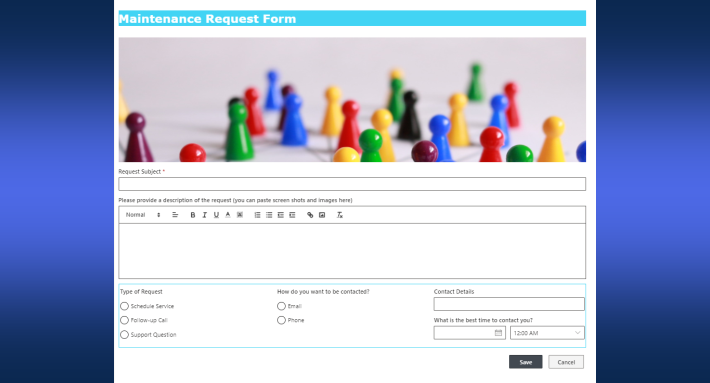
Create a Send Email action and configure it like any other: recipients, subject, body, with the item's column values available throughout, so the message names the visitor, the system, or the ticket rather than announcing "an item was created":

Then open the Advanced tab and enable Synchronous:

That is the entire technique. The synchronous action runs inside the save rather than after it, which is the same mechanism that blocks double bookings and injects changes into updates, applied here to delivery speed: no queue, no pickup interval, just the email leaving as the item lands. No special server configuration, no approvals, no code.
Conditions keep the scalpel sharp. Scope the action to the cases that deserve immediacy, Priority equals Critical, the incident type in the urgent set, and use after-change conditions so the email fires on the transition into urgency, once, rather than on every edit of an already-urgent item.
The four scenarios that earn it
The front desk check-in. A public self-service form on a kiosk replaces the receptionist: the visitor checks in, and the host's email arrives while the visitor is still putting their phone away. The half-minute version of this system leaves a guest standing in a lobby wondering whether anything happened; the immediate version feels like being expected. A Thank You page on the kiosk completes the loop on the visitor's side.
The emergency incident report. Safety incidents, security events, anything where the report exists to summon people: the notification is the response's starting gun, and seconds of queue time are seconds added to every response metric the organization tracks.
The outage and the halted line. When a system is down or production stops, the cost of the gap between event and email is measured in money per minute. The immediate notification gets remediation moving at the speed the situation demands, and pairing it with Teams delivery for the channels people actually watch covers both surfaces.
The urgent ticket and access request. Most tickets can wait their half minute; the P1 and the blocked-executive access request cannot. Conditions split the stream: urgent priorities trigger the immediate email, everything else flows through the regular engine, and the support team's response-time numbers improve exactly where they are measured.
The common shape: a human is actively waiting on the other end. When no one is waiting, the technique buys nothing, which leads to the honest question.
Making the message worthy of its speed
An email that arrives in three seconds should be readable in three seconds, and the fast scenarios reward the same craft as any alert, concentrated. Put the decisive fact in the subject line: "Visitor for Dana at Front Desk," "Line 2 halted, Code E-41," because urgent recipients triage from the notification bar, often on a phone, and the subject is frequently the whole read. Keep the body to what the responder needs to act, who, what, where, and one link to the item, with the column values doing the naming. And when the response itself is one decision, put an action button in the email, acknowledge, assign to me, escalate, so the three-second delivery is followed by a three-second response. Speed on the delivery side is wasted if the message then costs a minute to decode.
Why not immediate everything?
Because the queue's slowness is the price of its safety. The regular alert engine catches failures, retries deliveries, and logs every send, which is how "did the notification go out?" stays answerable months later. A synchronous send trades those nets for speed: it runs once, inside the save, without the retry machinery behind it. For the routine ninety-five percent of notifications, that trade is backwards, you would be giving up reliability nobody asked you to give up, to gain speed nobody would notice.
There is also the save itself to respect. Synchronous work makes the form wait, and while a single email is fast, the discipline from the synchronous playbook applies: keep the immediate path to one lean message, and let anything heavier, the multi-recipient cascade, the document generation, run asynchronously behind it.
The belt-and-braces pattern resolves the trade cleanly for truly critical events: send both. The immediate email delivers the speed; a regular alert on the same event delivers the retries and the log. If the synchronous send ever fails silently, the queued one arrives half a minute later anyway, and the audit trail stays complete. Two configurations, one event, and neither speed nor safety is sacrificed.
A timing habit for the whole solution
The deeper takeaway is that notification timing is a design dimension, not a fact of life. Map your solution's notifications on one axis, who is waiting and how hard, and assign each one its tier: immediate for the genuine emergencies and the standing-right-there scenarios, the regular engine for everything routine, and digests for the updates that should arrive bundled rather than one by one. Most solutions end up with one or two immediate emails, a healthy core of standard alerts, and a digest or two, which is the distribution that keeps inboxes trusted. The one-setting trick is easy; knowing which three notifications deserve it is the actual craft, and writing those three well multiplies everything the speed bought.
Frequently asked questions
Add your comment