Microsoft SharePoint has been a cornerstone of collaboration and content management for organizations of all sizes for more than two decades. Both as on-premises application and as part of the Microsoft 365 ecosystem, SharePoint continues to evolve, serving not just as a document repository, but as a platform for collaboration, process automation, and business solutions.
Yet despite its breadth, many organizations struggle to unlock SharePoint’s full potential. Lists are powerful but often underutilized. Forms are functional but limited. Processes exist, but user experience and speed of delivery can fall short of business expectations.
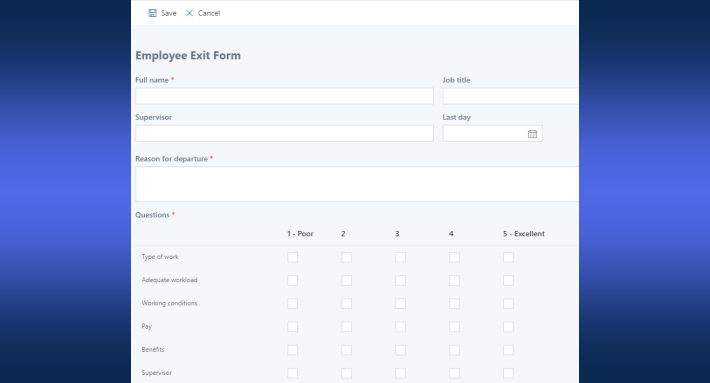
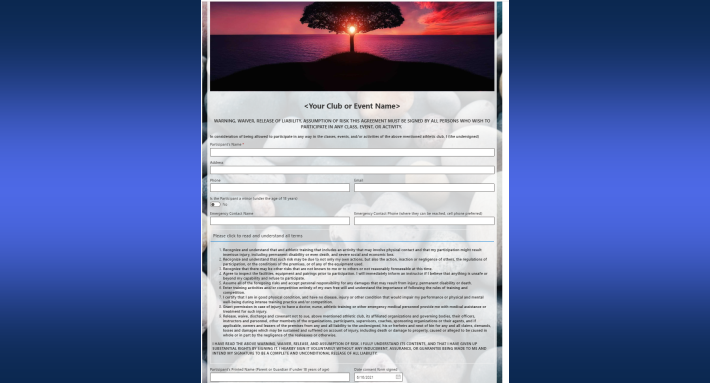
SharePoint can be used for far more than file storage. Organizations can run document management, business process automation, forms, approvals, dashboards, and complete business applications on it. Infowise Ultimate Forms enhances SharePoint to deliver better solutions faster, with a significantly improved user experience. Here is what that looks like in practice.
What Is SharePoint?
At its core, Microsoft SharePoint is a web-based platform designed to help organizations:
-
Store and manage content
-
Collaborate across teams
-
Share information securely
-
Build internal business solutions
SharePoint is included in most Microsoft 365 subscriptions. This makes it widely available and deeply integrated with tools like Teams, Outlook, Excel, and Power BI. Moreover, it is available on premises as SharePoint Subscription Edition with comparable features.
Rather than being a single-purpose application, SharePoint is best understood as a platform. It can be adapted to a wide range of use cases depending on how it is configured and extended.
Common Ways Organizations Use SharePoint
1. Document Management and Collaboration
The most familiar use of SharePoint is document management. Teams use SharePoint libraries to:
-
Store files securely
-
Share documents with colleagues and external partners
-
Track versions and changes
-
Control access through permissions
Tight integration with Microsoft Office applications allows multiple users to collaborate on documents simultaneously, while version history ensures changes are tracked and recoverable.
For IT managers, SharePoint provides centralized governance and security. For business users, it offers a familiar and accessible workspace.
2. Intranet and Internal Communication
Many organizations use SharePoint to power their internal intranet. This includes:
-
Company news and announcements
-
Policies and procedures
-
Departmental pages
-
Knowledge bases and FAQs
SharePoint’s modern pages and web parts make it possible to create visually engaging intranet experiences without custom development.
3. Lists for Structured Data
Beyond documents, SharePoint lists are one of its most powerful features. Lists allow teams to store structured data such as:
-
Requests and tickets
-
Tasks and issues
-
Assets and inventories
-
Contacts and vendors
-
Logs, registers, and trackers
For business analysts and project managers, lists provide a flexible way to model data without a full database or custom application.
However, while lists are powerful, the default SharePoint experience around forms and interactions can be limiting, especially as processes grow more complex.
4. Workflow and Process Automation
SharePoint is frequently used to automate business processes, including:
-
Approval workflows
-
Request intake
-
Reviews and sign-offs
-
Notifications and reminders
When combined with automation tools in Microsoft 365, SharePoint becomes the foundation for many operational workflows. Yet automation alone does not guarantee usability or adoption. The way users interact with forms and data is often the deciding factor in a solution’s success.
5. Custom Business Solutions
Over time, many organizations realize that SharePoint can act as a lightweight application platform. Without building full custom software, teams use SharePoint to deliver solutions such as:
-
Employee onboarding systems
-
Purchase request systems
-
Help desks and service portals
-
Compliance tracking tools
-
Project and portfolio management solutions
This is where the gap often appears between what SharePoint can do and what it does well out of the box.
Where SharePoint Alone Can Fall Short
While SharePoint is extremely capable, its native experience has some well-known limitations:
-
Default forms are basic and not user-friendly
-
Customizing forms often requires Power Apps and development skills
-
User experience can vary widely between solutions
-
Advanced validation, logic, and UI control require extra effort
-
Delivering polished, business-ready solutions can take time
For IT managers, this can mean longer delivery cycles and more reliance on specialized skills. For business users, it can result in forms that are functional but unintuitive.
This is where Ultimate Forms becomes a strategic enhancement rather than a replacement.
How Ultimate Forms Elevates SharePoint Solution Delivery
Infowise Ultimate Forms is designed specifically to extend SharePoint’s capabilities while staying fully native to the platform. It does not replace SharePoint, it enhances it.
1. Faster Solution Delivery
One of the biggest advantages Ultimate Forms brings is speed. Solutions that might otherwise take weeks of configuration or development can often be delivered in days (or even hours).
For project managers and integrators, this means:
-
Faster time to value
-
Reduced dependency on developers
-
Easier iteration based on business feedback
Forms, logic, actions, and presentation are configured visually, allowing teams to respond quickly to changing requirements.
2. Improved User Experience
User experience is often the deciding factor between a solution that succeeds and one that fails. Ultimate Forms dramatically improves how users interact with SharePoint lists by enabling:
-
Modern, clean form layouts
-
Tabs, sections, and structured interfaces
-
Clear validation and guidance
-
Visual indicators and status cues
-
Consistent behavior across solutions
For business analysts, this means the ability to design experiences that match real-world workflows instead of forcing users to adapt to technical constraints.
3. Business-Friendly Configuration
Ultimate Forms is designed for configuration, not coding. This is particularly important for organizations that want to empower internal teams.
IT managers benefit because:
-
Fewer custom scripts need to be maintained
-
Solutions are easier to support long term
-
Governance remains within SharePoint
Business analysts benefit because:
-
They can own and evolve solutions
-
Changes can be made without full redeployment
-
Logic is transparent and easier to document
4. Enhanced Data Interaction
Ultimate Forms improves how users interact with data stored in SharePoint lists. Features such as visual indicators, advanced validation, dynamic behaviors, and polished outputs make lists easier to understand and manage.
This reduces errors, improves data quality, and helps users focus on what matters rather than navigating the interface.
How Ultimate Forms Improves the End-User Experience
From an end-user perspective, the difference is immediately noticeable.
Instead of filling out generic forms, users interact with:
-
Purpose-built interfaces
-
Clearly labeled actions
-
Guided processes
-
Visual feedback and status indicators
This leads to:
-
Higher adoption
-
Fewer support requests
-
Less training required
-
More consistent outcomes
For organizations rolling out multiple SharePoint-based solutions, consistency of experience becomes a major advantage.
Why This Matters for IT Managers, PMs, and Integrators
For IT managers, Ultimate Forms provides a way to scale SharePoint solutions without scaling complexity. It supports governance, reduces technical debt, and enables teams to deliver more with the tools they already own.
For project managers, it improves predictability. Solutions are easier to scope, faster to deliver, and simpler to adjust as requirements evolve.
For business analysts, it bridges the gap between business needs and technical implementation. Analysts can translate requirements directly into working solutions instead of lengthy specifications.
For integrators and consultants, Ultimate Forms enables repeatable, high-quality delivery across customers and tenants, reducing effort while increasing consistency.
SharePoint as a Platform, Elevated
So, what is SharePoint used for?
It is used for collaboration, content management, structured data, automation, and business solutions. But more importantly, SharePoint is used as a foundation, one that organizations build upon.
Infowise Ultimate Forms elevates that foundation by improving both how solutions are delivered and how users experience them. It enables organizations to move beyond “functional” SharePoint solutions and toward systems that are intuitive, efficient, and aligned with real business processes.
Conclusion
SharePoint remains one of the most versatile platforms in Microsoft 365, supporting a wide range of organizational needs. However, its true value is realized when it is extended in ways that improve usability, speed of delivery, and solution quality.
Infowise Ultimate Forms helps organizations unlock that value. It empowers IT teams, project managers, business analysts, and integrators to deliver better SharePoint solutions faster, without sacrificing governance or user experience.
Add your comment